Oscilloscope probe calibration?

Just got my PPro today, and I'm poking at it to see what it's good at.
So, connecting the PPro to my good old DSO's square-wave reference/test output for - well - reference measurement seemed like a good place to start.
However, the signal displayed had me reaching for the probe adjustment...
... ermmmm - there seems to BE no adjustment on this thing. How am I supposed to get sharp corners on the measured square, you know; without overshoot/swings or ramp-up?
I would like to have included a nice example of what I saw, but the app export function offers .csv file only, which - after struggling with converting dot decimal separator and importing to excel and creating a graph from the value pairs - renders this as a poor substitute:
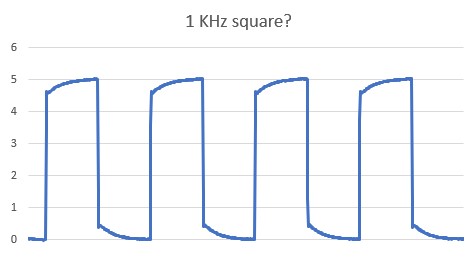
Not pretty. Loads of ramp-up...
Where's the calibration feature?
And, given I only find export to .csv; Where's the 'set comma as decimal separator in exported CSV' feature?
Or am I tied to my phone's 'make a screendump' facility?
-
Official comment

Hi Martin Filtenborg, we have identified the issue with the square waves in Oscilloscope mode. Our team have been working on a fix for this to make square waves appear correctly and they have worked a solution for this. This issue will be fixed in an upcoming update.
I have also passed on your suggestion for set comma as decimal separator in exported CSV export.
-

This app is so poorly implemented and lacks such basic features that it looks like the dev team has never seen a digital oscilloscope, let alone use one 😔
-1 -
And so, a firmware update arrived; v1.5.
I hooked up the PP to my square wave 1KHz again - and got this:
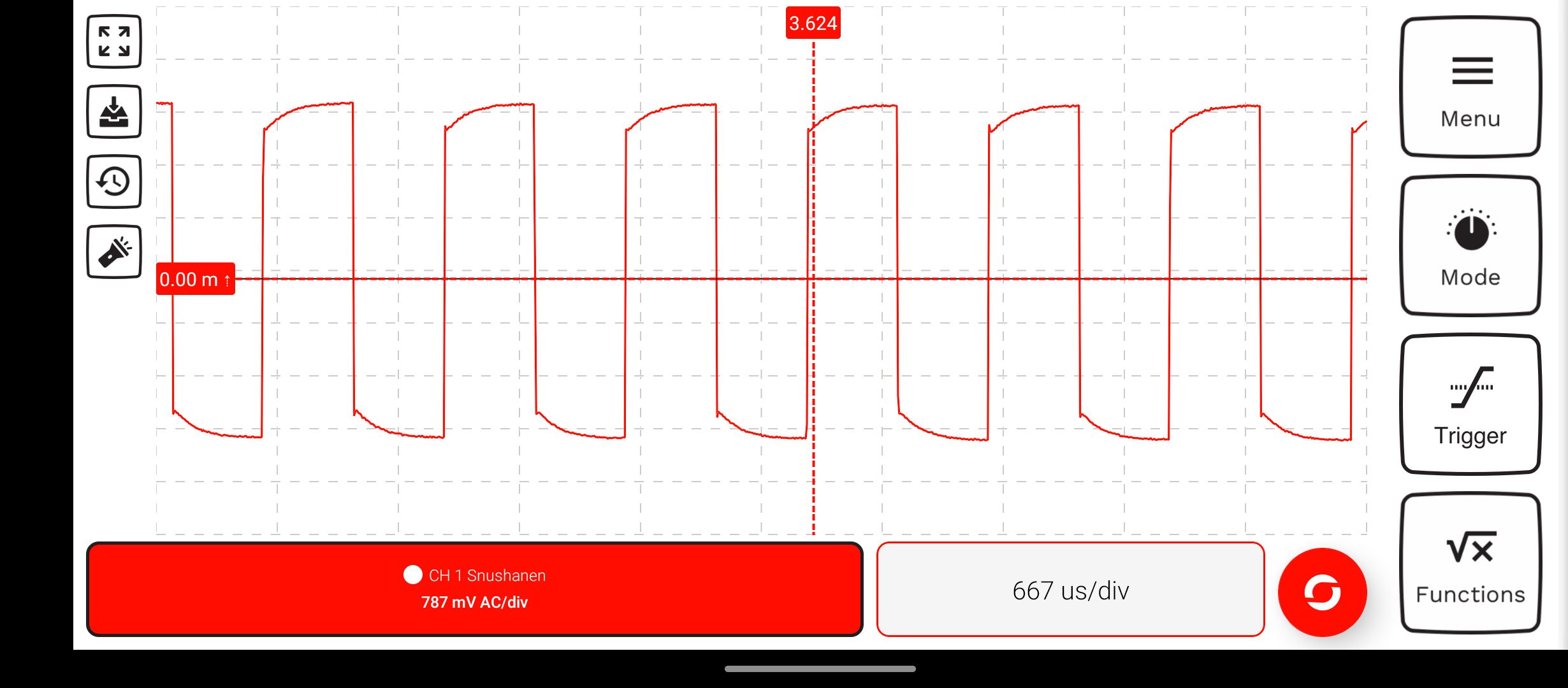
No change.
Any comments, Lachlan M?
0 -
Hi Martin Filtenborg, we have a solution in the works for this issue, but it is requiring some more time amongst the other updates/fixes we are working on. We are still going to be integrating this in a future update, and we appreciate your patience in the meantime.
0 -

Following
 0
0 -

I have the same problem, now FW version 1.6 is out but the issue still remains unsolved. Do you have a timeline, when the issue will be fixed? I would think solving such a bug would have higher priority, especially since you claim to have a solution.
At this point we will have to assume it is a hardware problem and it won't be solved with a FW fix.
0 -
Sigh. I've now been using the device for a while on-and-off. In a professional setting where failure to deliver will instantly get you laughed at.
And people have had a few laughs on my account by now. One being because of this phenomenon. Another being caused by obviously unreliable/plain wrong frequency measurements on static repetitive signals.
The multimeter seems okay. The logger seems okay. But the oscilloscope is in a state of "half-baked" - and the promised firmware-update to allow probe-calibration may drag on because it's likely a software-workaround on a hardware-issue.
Not easy fixing HW with SW...
Which makes Marco Tuzzi's thought eerily relevant. The device seems plagued by beginners' mistakes rooted in not having used scopes in real life. One mistake I'm annoyed by is the stepless range-display. Who needs 0.65V/Div at 0.24ms/div display? Which is what you get as soon as you operate the screen - something more-or-less random. Using 1-2-5 range stepping, the user may gauge signal voltages and times from divisions because the intervals are sensible. Eg 3 divs between flanks at 5ms/div = 15ms.
But someone made the wrong use of 'touchscreen' and did it stepless.
As it is, divisions (both X- and Y-direction) become onscreen ornaments with little usability as soon as you try to adjust signal display. 3 divs between flanks at 0.38us/div = ermmm, letmejustsee...
Make pinch & zoom 'click' to 1-2-5, please.
Maybe the Pokit UX team could benefit from spending time with a traditional scope. Say, the venerable Tektronix TDS220, used by (amongst others) american military for a decade. Because it does what it says on the tin.
Pokit Pro was quickly nicknamed "the toy meter" by my colleagues. Food for thought.
0 -

Martin,
Unless you can find me some capacitors that have no tolerance there was always going to be a need for a SW fix for the probe compensation, you will note that probe compensation is common to all scopes and there is a reason for that.
A trimming cap could have been added however:1. Due to the way the front end works it would have to have been 3 trim caps
2. There is nowhere to fit them without growing the unit
3. Due to the IEC requirements for creepages and clearances for CATIII 600V it would have required us to grow the unit significantly to incorporate these in a way a user could access them external to the unit.Given that the overall design intent was "as small as possible" you can see why we didn't do the above.
Here is a screenshot from our internal test build that we are looking to release this month:
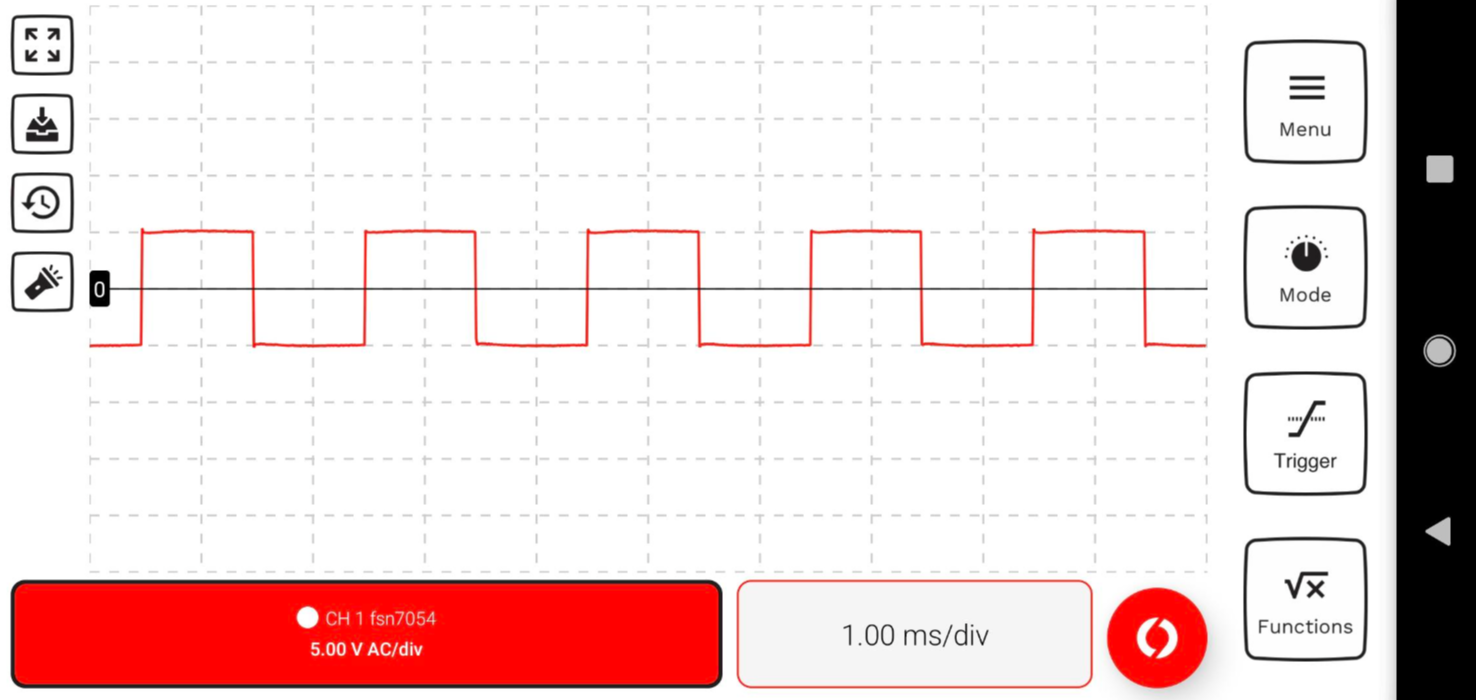
Furthermore most scopes do some waveform DSP before displaying the signal in order to correct the hardware AFE a little (most of the time this is done on a DSP chip or a FPGA but in our case we will use the app).
As for the touch screen thing, we did initially try snapping to a 1-2-5 grid but the user experience was absolutely horrible, I found myself constantly fighting with it to get the zoom to work properly, we tried really hard to get it to work however at the end of the day a touch screen is a very different device to a rotary encoder.
If you want to only zoom in 1-2-5 steps it is possible on our app as well if you press the mode button on DSO you WILL NOTE that the zoom options are in 1-2-5 format (and yes we do use scopes btw, the owner of the company has 25+ years as an electronics design engineer, I have a RIGOL DS1054 on my desk right now).
On all scopes the div lines should only be used for rough quick measurements only, if you need to take a precision measurement you can use a cursor. Which is much easier in our app than on any scope that I'm aware of. Simply tap and hold to add a cursor and then you can tap the vertical line on the cursor in order to highlight it, once highlighted you can move the cursor around until you get it where you want, if you want a differential measurement you can add a a second cursor with another tap and hold, a third tap and hold clears the cursors.
1
Please sign in to leave a comment.
Comments
8 comments